Not Just a Course Builder: An AI-Native Content Management System for Learning Data
Updated February 27, 2026: Added CSV library export.
Most authoring tools treat a course as a finished artifact. You build it, export a ZIP, upload it to your LMS, and move on. The course itself is inert. A package of files that can't be searched, queried, or reshaped without opening the original project.
The platforms that do offer real content management tend to come with real complexity. Enterprise learning suites with steep learning curves, lengthy onboarding, and features buried behind layers of configuration. The power is there, but so is the overhead. New team members need training just to use the tool that's supposed to help them create training.
Slate takes a different approach. Every course is a structured, portable data format: sections, lessons, blocks, metadata, all queryable, all connected. You get the power of a professional content management system in a package that's approachable from day one. Search it. Tag it. Translate it. Feed it to an AI assistant. Export it as SCORM for your LMS, or hand it to Canva and turn it into a slide deck.
Not just a course builder. An AI-native content management system for learning data.
Your Library at a Glance
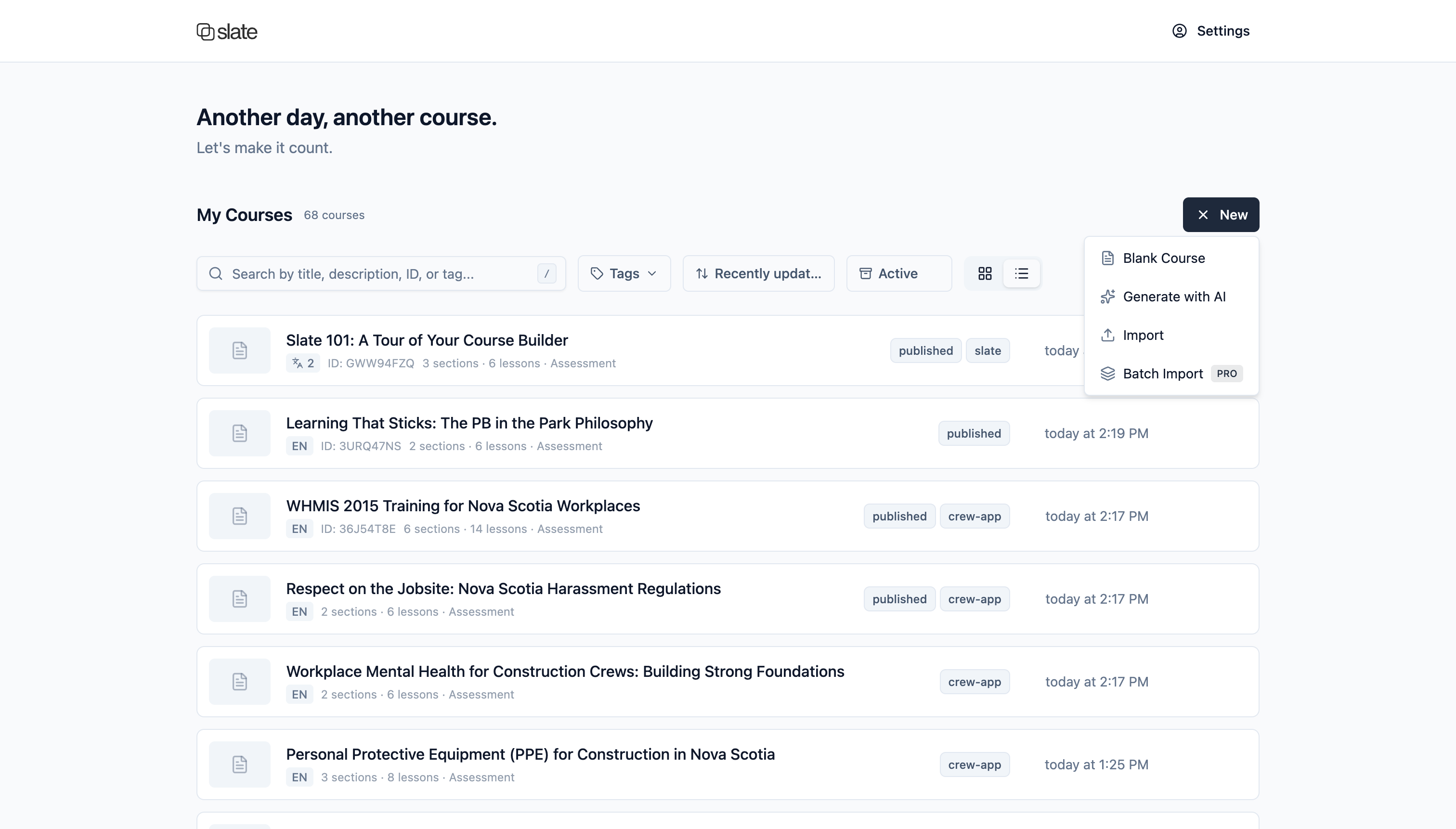
Your dashboard is the control centre for your entire course library. Every course card shows the information you need without clicking in: section and lesson counts, whether an assessment is included, how many languages it's been translated to, tags, and when it was last updated. Switch between grid and list views depending on how you prefer to work.
Find Anything, Fast
Two levels of search are built into the Slate UI.
1. Dashboard Search
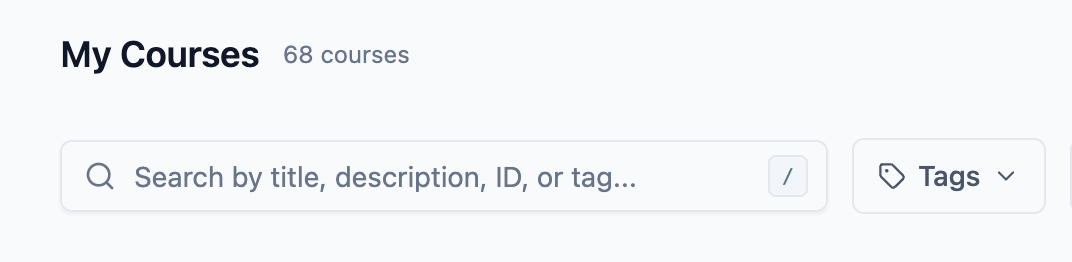
Search your entire library by title, description, course ID, or tag. Press / from anywhere on the dashboard to jump straight to the search field. Combine with tag filters and archive views to narrow down exactly what you're looking for.
2. Course-Wide Find & Replace
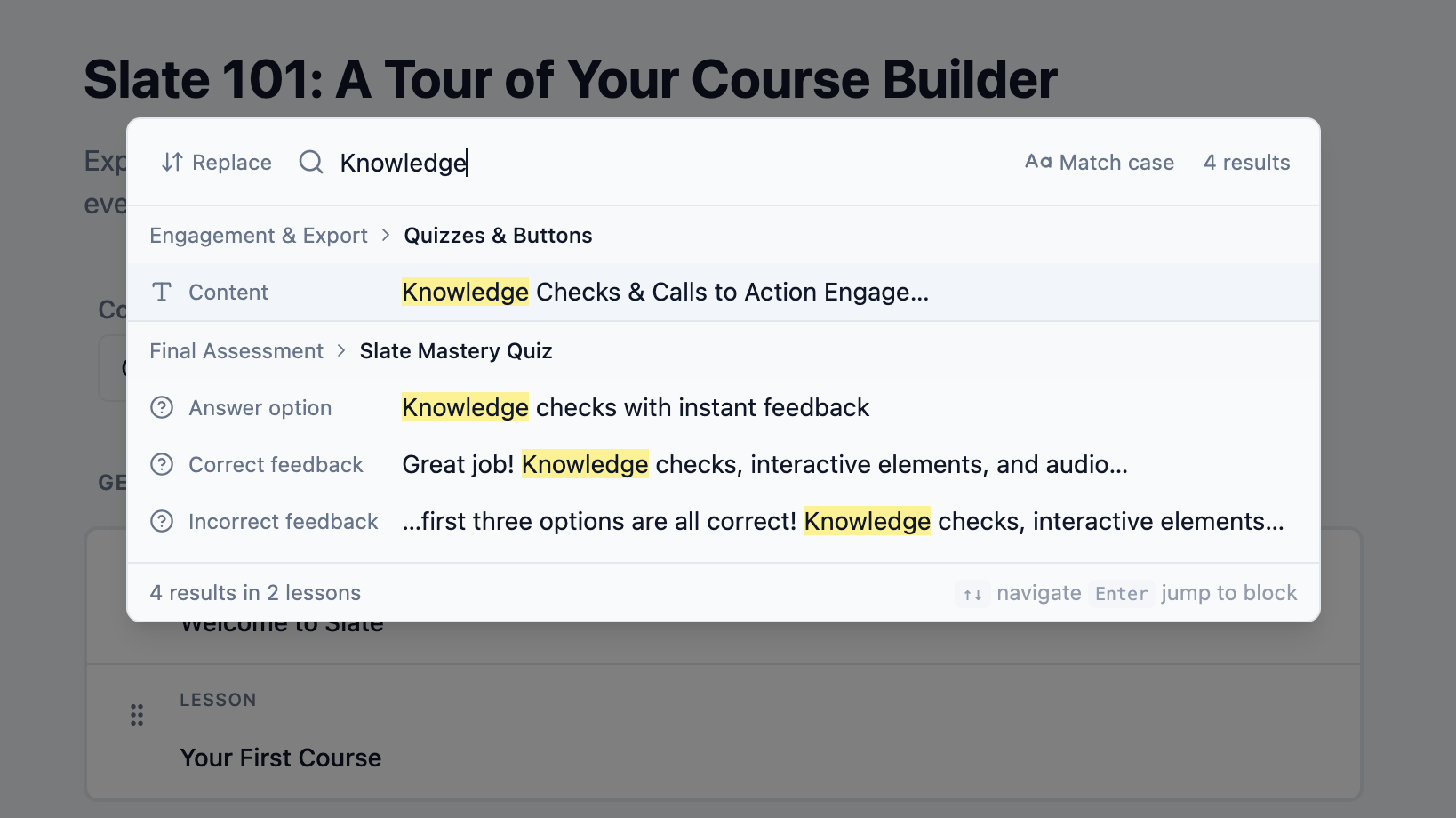
Open the search dialog within any course and search across every lesson and block. Results are grouped by lesson so you can see exactly where each match lives. Jump directly to any result, or replace text across the entire course in a single operation. Case-sensitive and whole-word matching are included for precision.
Rebranding a product name across a 30-lesson course? That's a single find-and-replace, not an afternoon of clicking through lessons.
Organize with Tags
Tags let you categorize your library however makes sense for your team: compliance-2026, onboarding, sales-q1, needs-review. Tags are visible on every course card for at-a-glance categorization, and you can filter the dashboard by tag to instantly scope to a category.
For larger libraries, bulk tag operations let you apply or remove tags across dozens of courses at once, without opening each one individually.
Review
Review sessions bring your review workflow into Slate. Invite reviewers via a shareable link, collect comments tied to specific content, and get AI-powered summaries that distil pages of feedback into clear action items. Auto-generated checklists help you track what's been addressed and what's still outstanding.
Portable by Design
The same course data adapts to wherever you need it.
- SCORM 1.2 export: Package any course for any LMS with progress tracking, completion status, and assessment scoring built in.
- Import from Rise: Bring existing Rise courses into Slate with structure, content, and media preserved. See how importing works.
- Presentation extraction: Hand a course to Canva or Google Slides and it becomes a presentation, with your brand settings carried over.
- Translation: Use AI-powered translation into 15 languages, or export a flat JSON file with deterministic IDs for professional translation workflows. Learn about multilingual courses.
- CSV library export: Download your course library metadata as a spreadsheet for reporting, auditing, or sharing an inventory with stakeholders.
One data structure. Multiple outputs. Your content goes where your learners are.
AI-Native Management with MCP
This is where the structured data model really pays off. Through MCP (Model Context Protocol), Slate securely connects your course library to Claude today, with support for additional AI assistants coming soon, through 20+ purpose-built tools.
Your AI assistant doesn't just generate content. It manages your library:
- Generate: Create full courses from a conversation: topic, audience, structure, and content.
- Query: Search your library and get course summaries. "Which of our compliance courses are still in draft?"
- Manage: Tag courses in bulk and open review sessions.
- Transform: Extract presentation content for slide decks, manage review checklists, translate courses.
Learning teams can talk to their courses. Understand what's in them. Run review cycles. All through conversation, without switching tools. Set up the MCP connection, or learn more on our MCP page.
What's Next
We see this extending to learners themselves, providing a framework for guided conversations in the AI tools they already use. Most companies are building these experiences in isolation. We're building for interoperability.
Courses as data that AI can reason across, manipulate, and reshape for any medium or learning preference. Not lock-in. Meeting people where they are, whether that's Claude, Canva, or an LMS through SCORM.
You can also dive deeper into what's possible with Slate's custom themes, AI-assisted code blocks, and auto-detecting embeds.
Get Started
Slate is free to start and scales with your library. The dashboard, search, tagging, SCORM export, and the course builder are all available on the free tier, where you can author in any one of 15 languages. AI translation, MCP integration, and reviews are available on paid plans. Sign up free to get started, or check out our pricing page for the full breakdown.